Double-tap Command, speak, and text lands right at your cursor — no keyboard involved. Meetings take notes for you, selected drafts rewrite themselves, and recognition shows live as you talk. Everything runs offline on your Mac.
macOS 14 or later · Basic dictation free forever · v1.1.0 (Build 20)
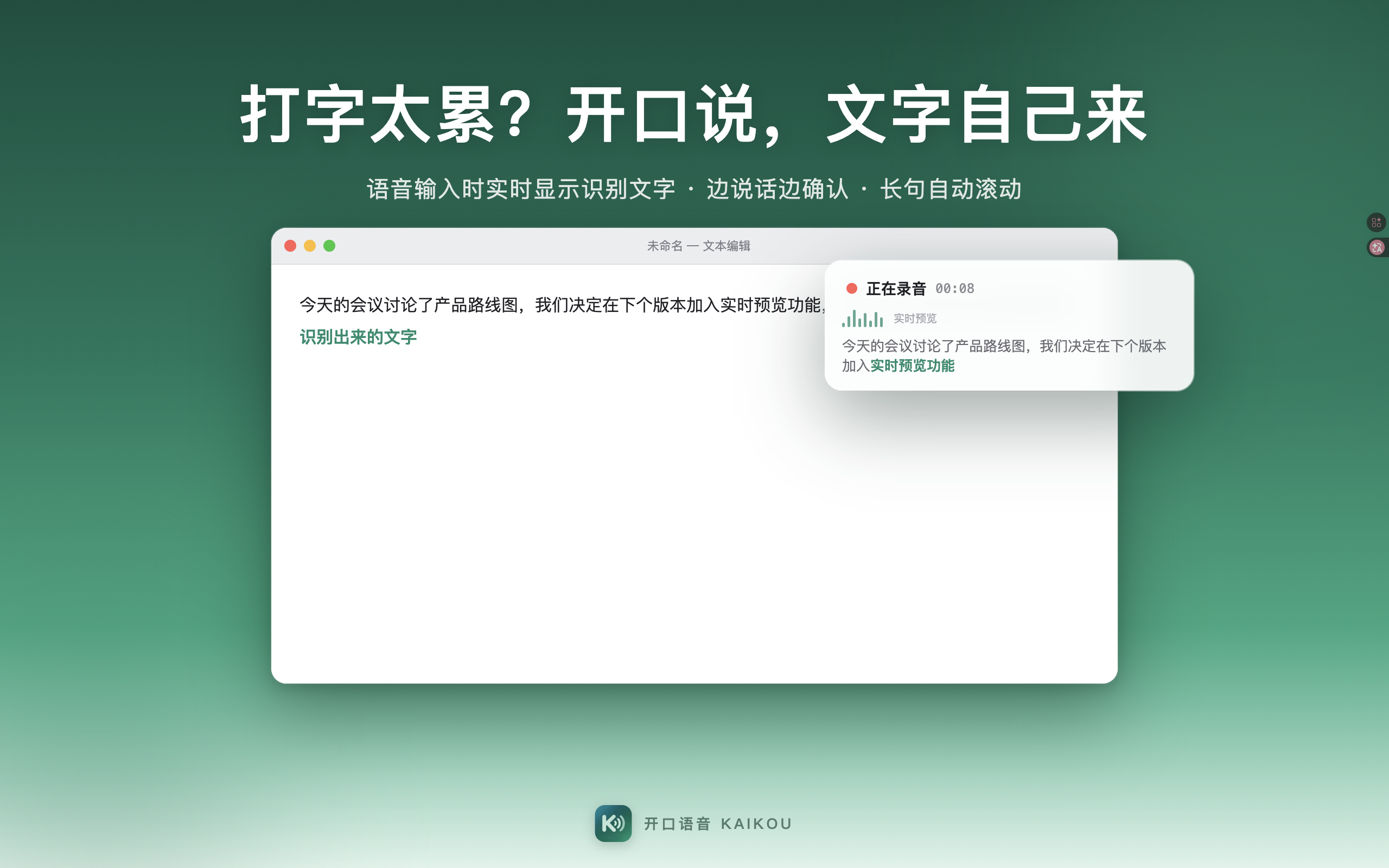
Double-tap Command and speak: the HUD shows recognized text in real time with auto-scrolling. When you finish, four candidate rows are one keystroke away from landing at your cursor.
A 15-second feature walkthrough. Plays automatically as you scroll into view.
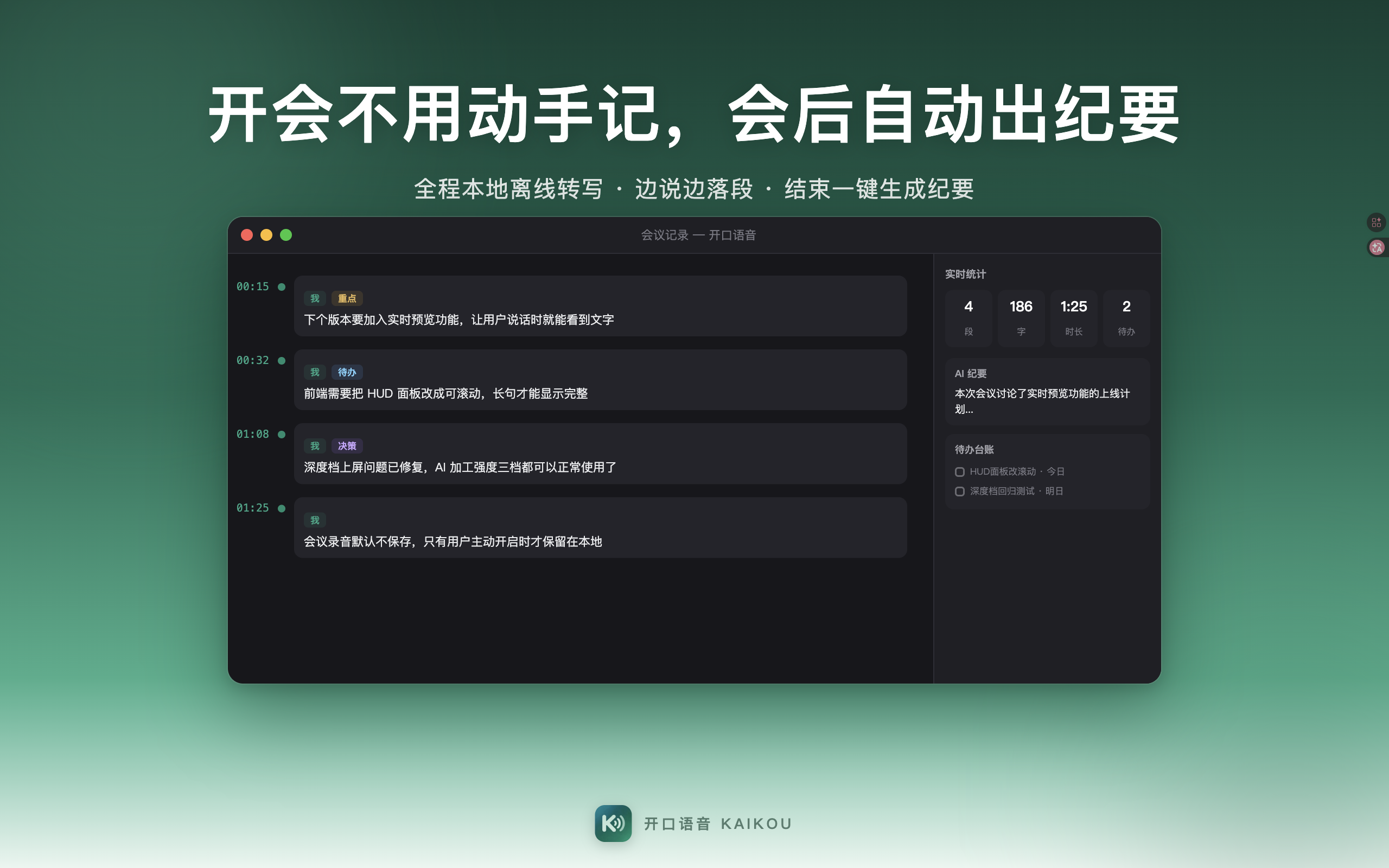
Start meeting mode and your speech turns into a paragraphed transcript as you talk. When it ends, AI organizes everything: full minutes, a condensed version, and an action list — one meeting, all deliverables.
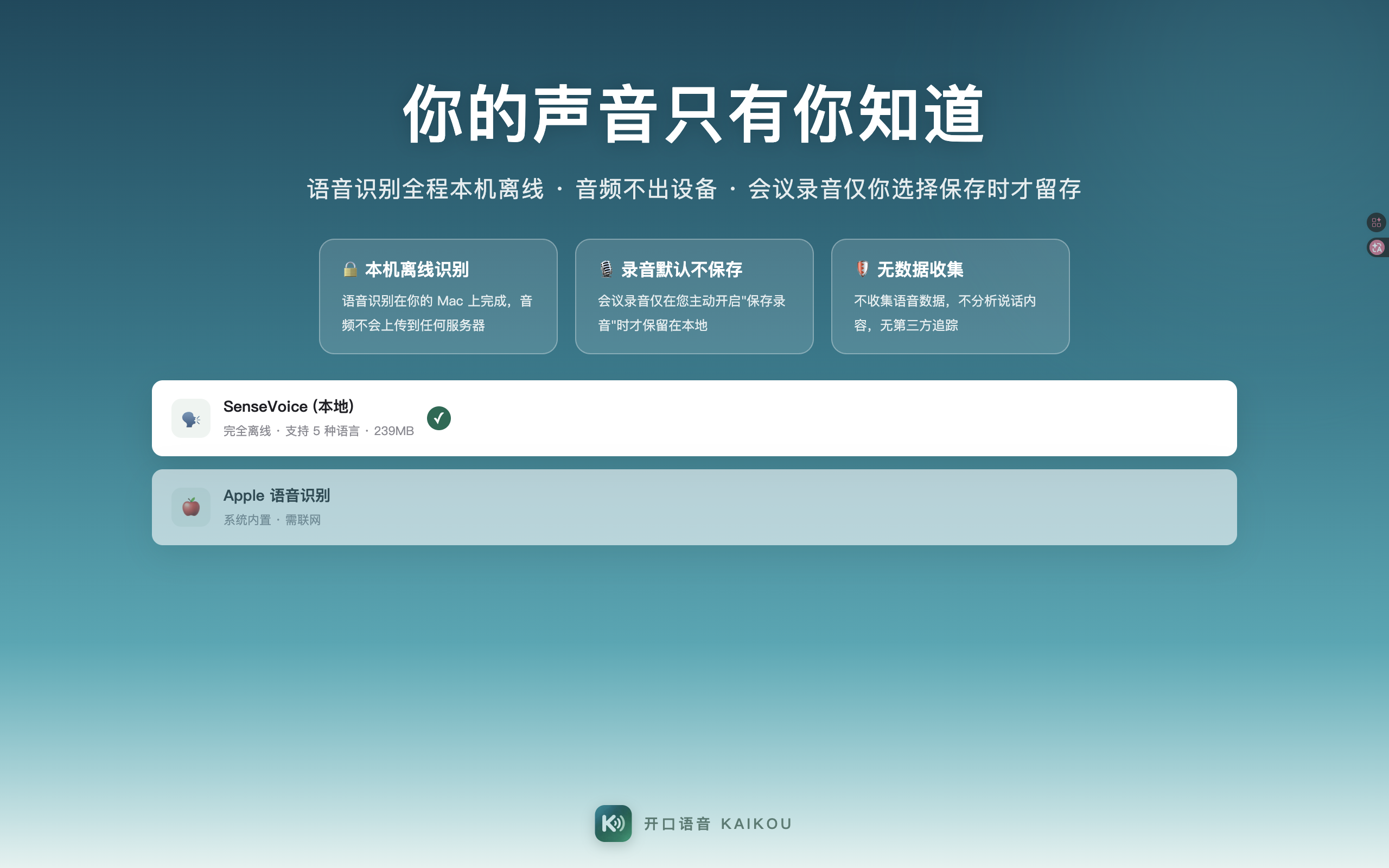
Transcription runs locally and offline; recordings are not saved by default — your meeting record stays on your computer.
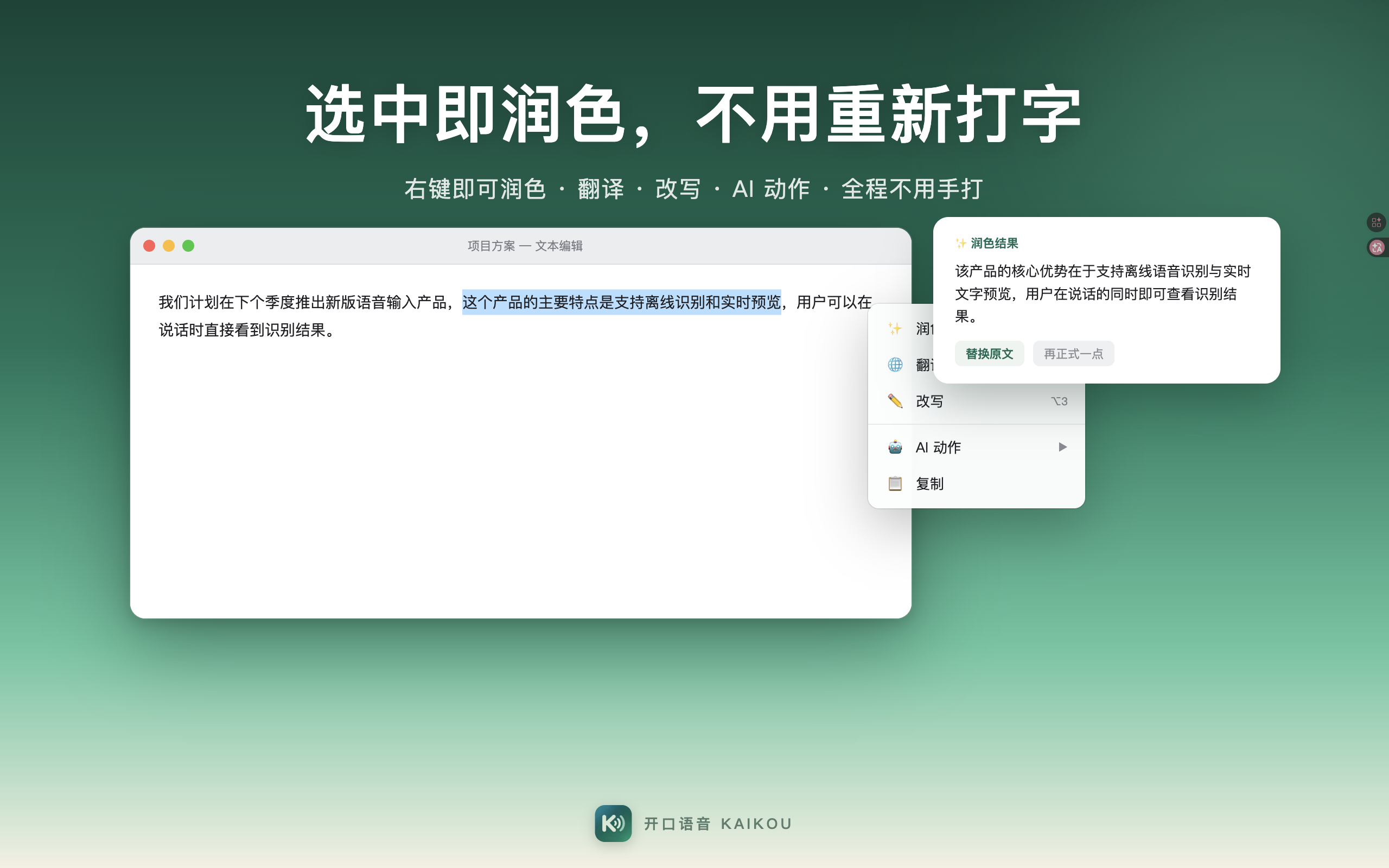
Select any text and right-click for rewrite, translate, and paraphrase menus — multiple versions side by side. Fix a sentence or rework a passage without typing it again.
AI actions are customizable: turn your frequent rewrites into your own menu items, one click away.
Real screenshots, the same ones as on our App Store page, laid out by scenario — from triggering dictation to meetings, rewriting, and privacy. Everything you see works on your Mac today.
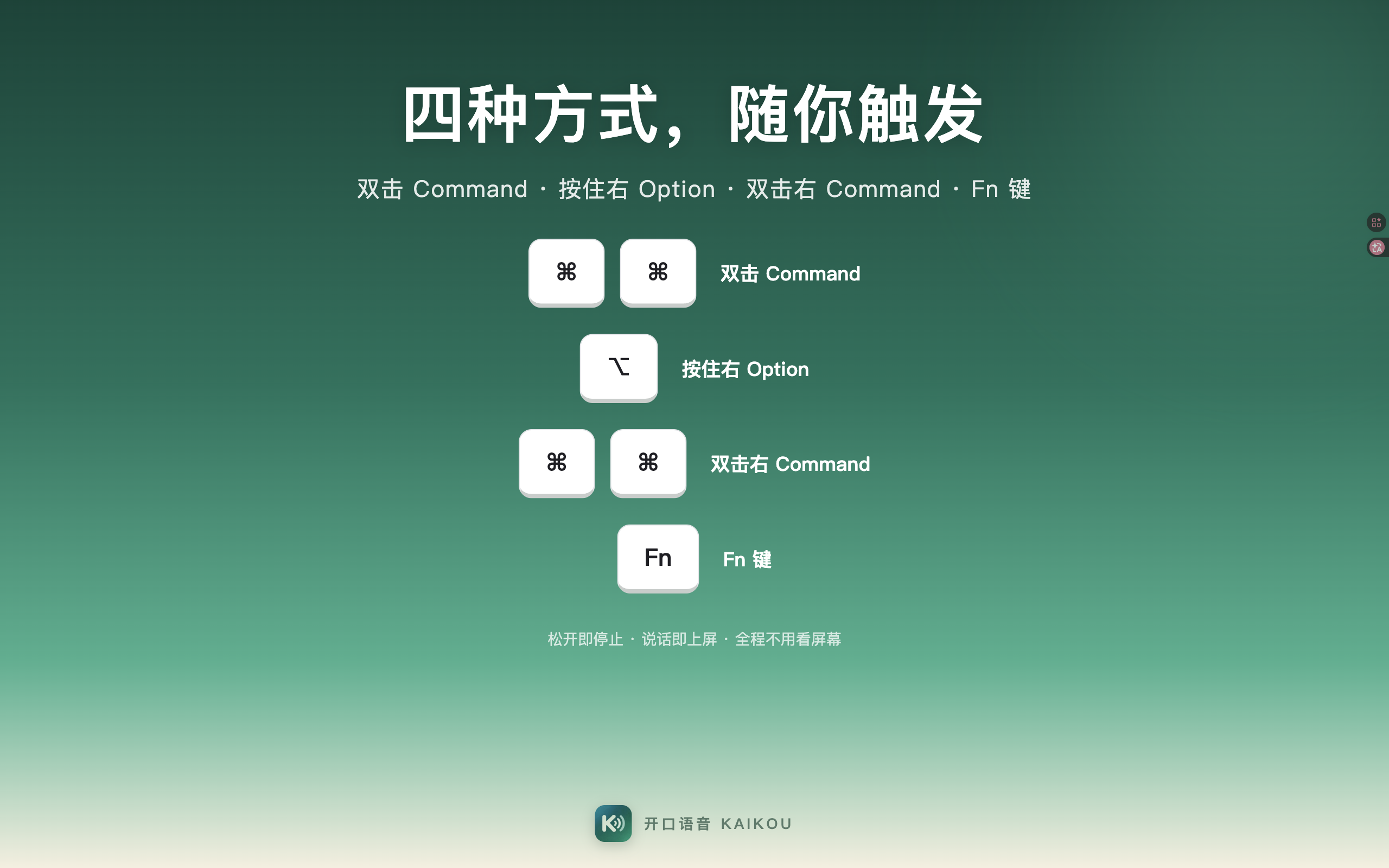
Double-tap Command, hold Right Option, double-tap Right Command, or hold Fn — four ways to start, one will feel right. Double-tap Command works out of the box: speak, release, and the text appears.
Models download on demand: grab the offline recognition model once, then stay fully offline. Switch engines anytime in Settings.
In any text field — WeChat, Mail, Notes, Feishu, DingTalk — double-tap Command and speak. The HUD shows recognized text live with auto-scrolling, so you can confirm as you go and never wonder if you were heard.
Preview before inserting: text lands only when you confirm, so your flow — and your document — stay undisturbed.
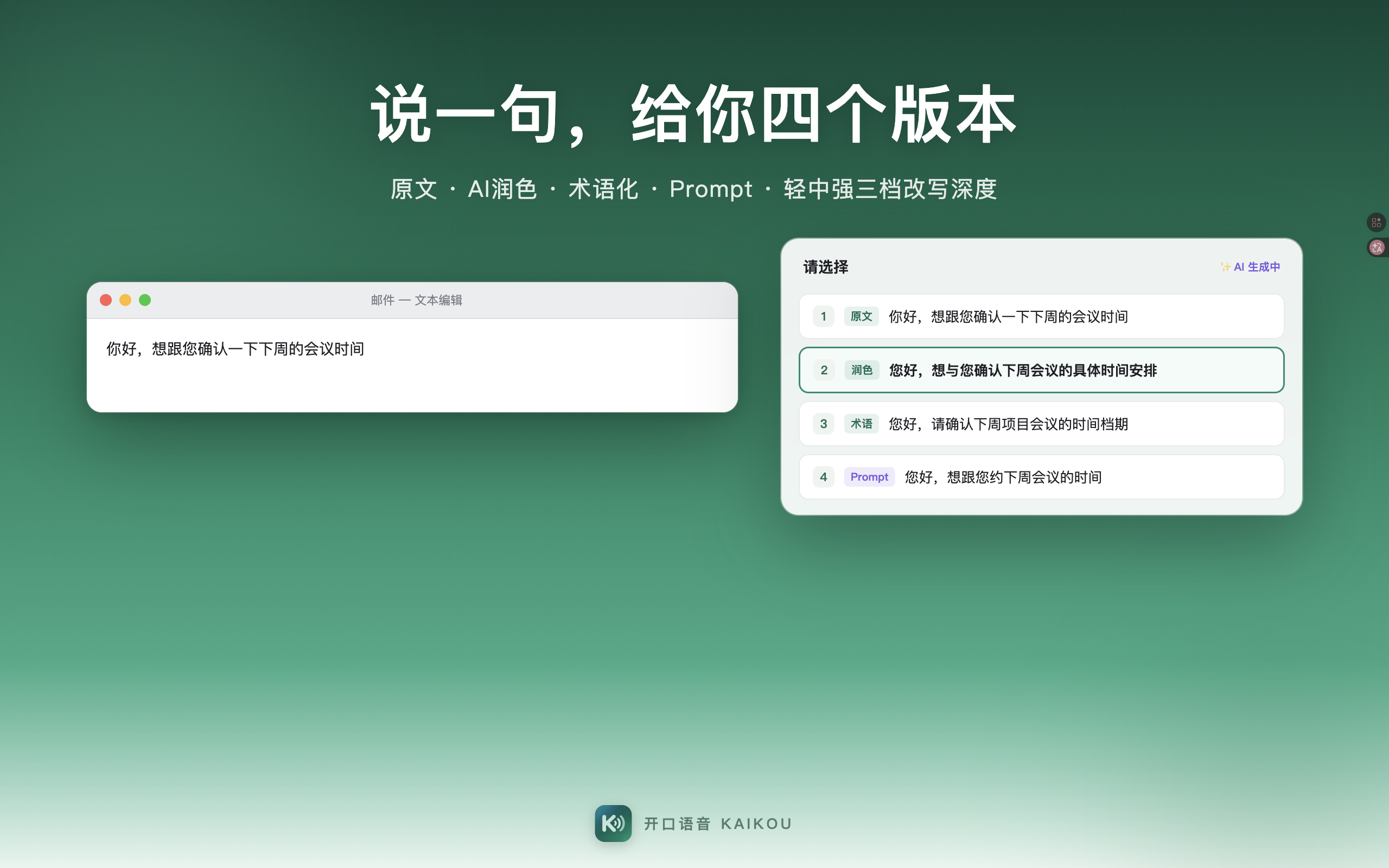
Finish a sentence and Kaikou offers four versions at once: original, AI-polished, terminology, and Prompt. Pick with the arrow keys, confirm with Enter — the right expression, first try.
The terminology row suits professional documents; the Prompt row plugs straight into AI image or coding tools — speak casually, get professional output.
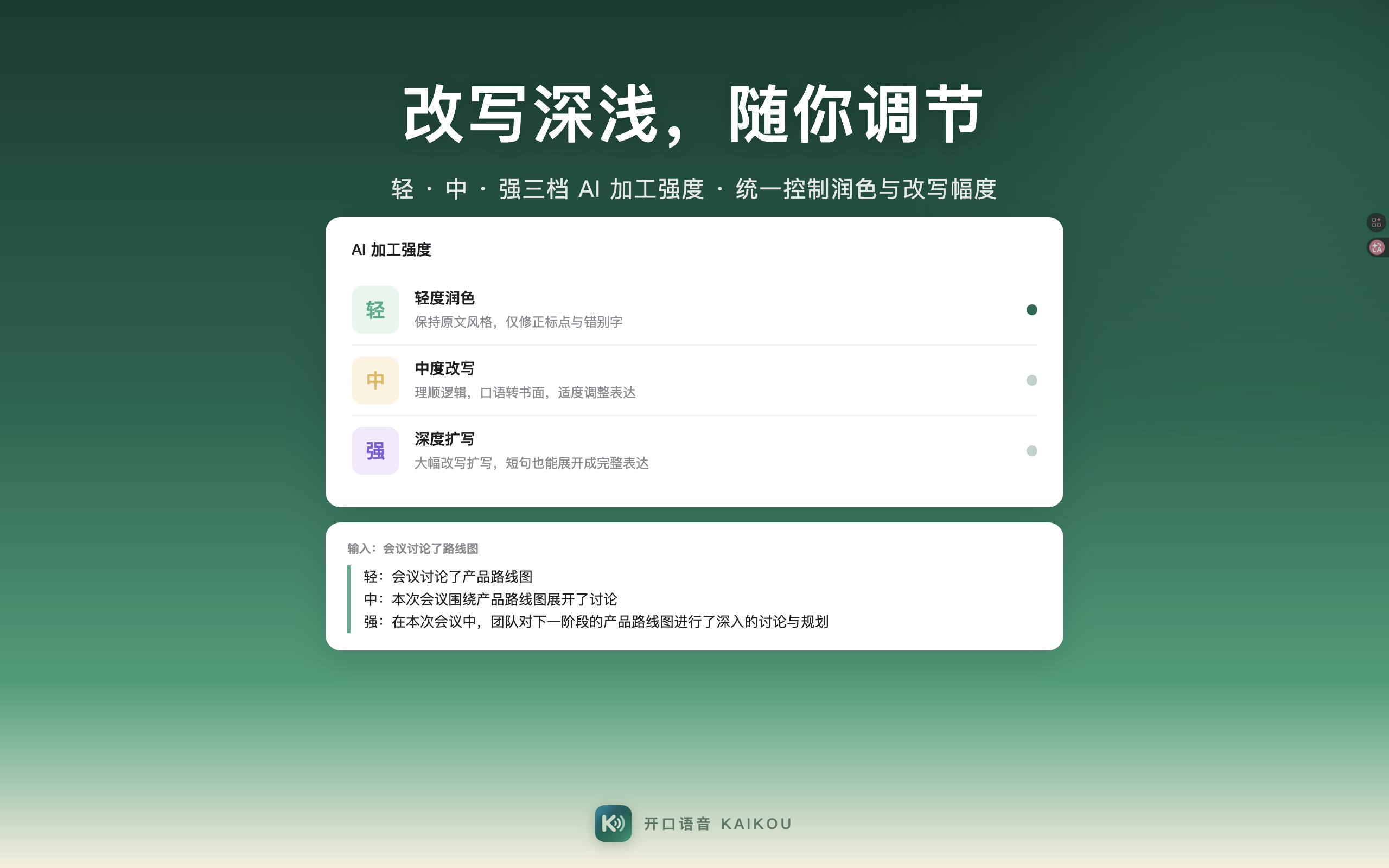
How far should polishing go? Light fixes typos and punctuation, Medium smooths sentence structure, Strong rewrites fully into formal prose.
Keep it Light for verbatim meeting notes, go Medium or Strong for formal writing — the same sentence, dressed for the occasion.
Select any text and right-click for rewrite, translate, and paraphrase menus — no retyping needed. Yesterday's report to your boss, your last reply: select and fix.
AI actions are customizable: "rewrite in Cantonese", "turn into a weekly report" — save your frequent rewrites as menu items.
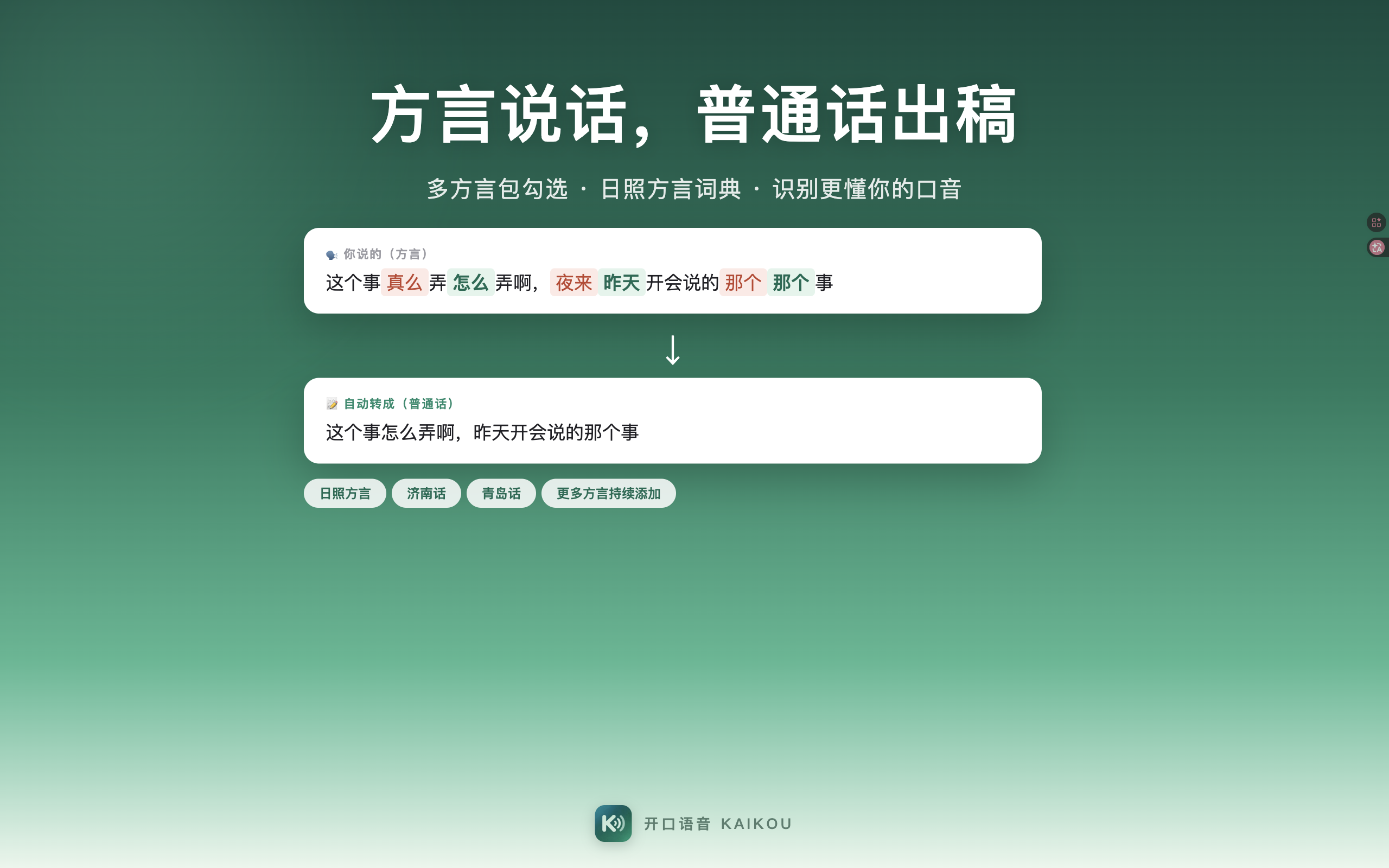
Cantonese, Jiaoliao, Northeastern and other accents are automatically corrected into standard wording. Speak your dialect; get clean, standard text out.
Local dictionaries can be calibrated: teach it your place names and personal names, and it gets sharper with use.
Start meeting mode: transcription runs locally and offline, paragraphing as you speak. When the meeting ends, the complete record is already on your Mac.
AI minutes in three forms — full, condensed, action list — switchable in one click, ready to share as needed.
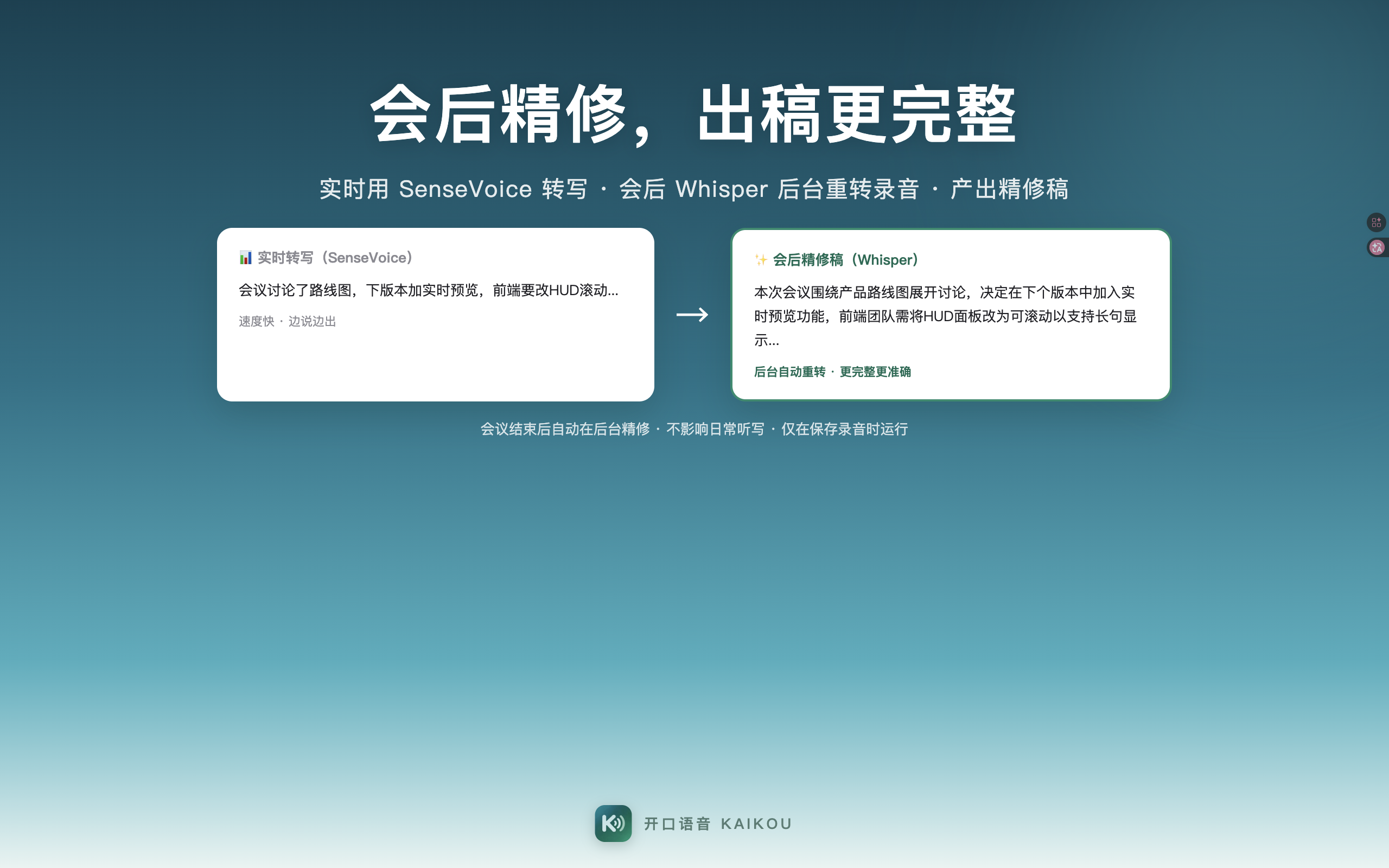
The live draft is produced fast with SenseVoice; after the meeting, Whisper re-transcribes the entire recording offline in the background for a more complete and fluent refined transcript.
The live draft stays untouched — the refined version is stored separately. No overwriting, no interruption, and failures stay silent.
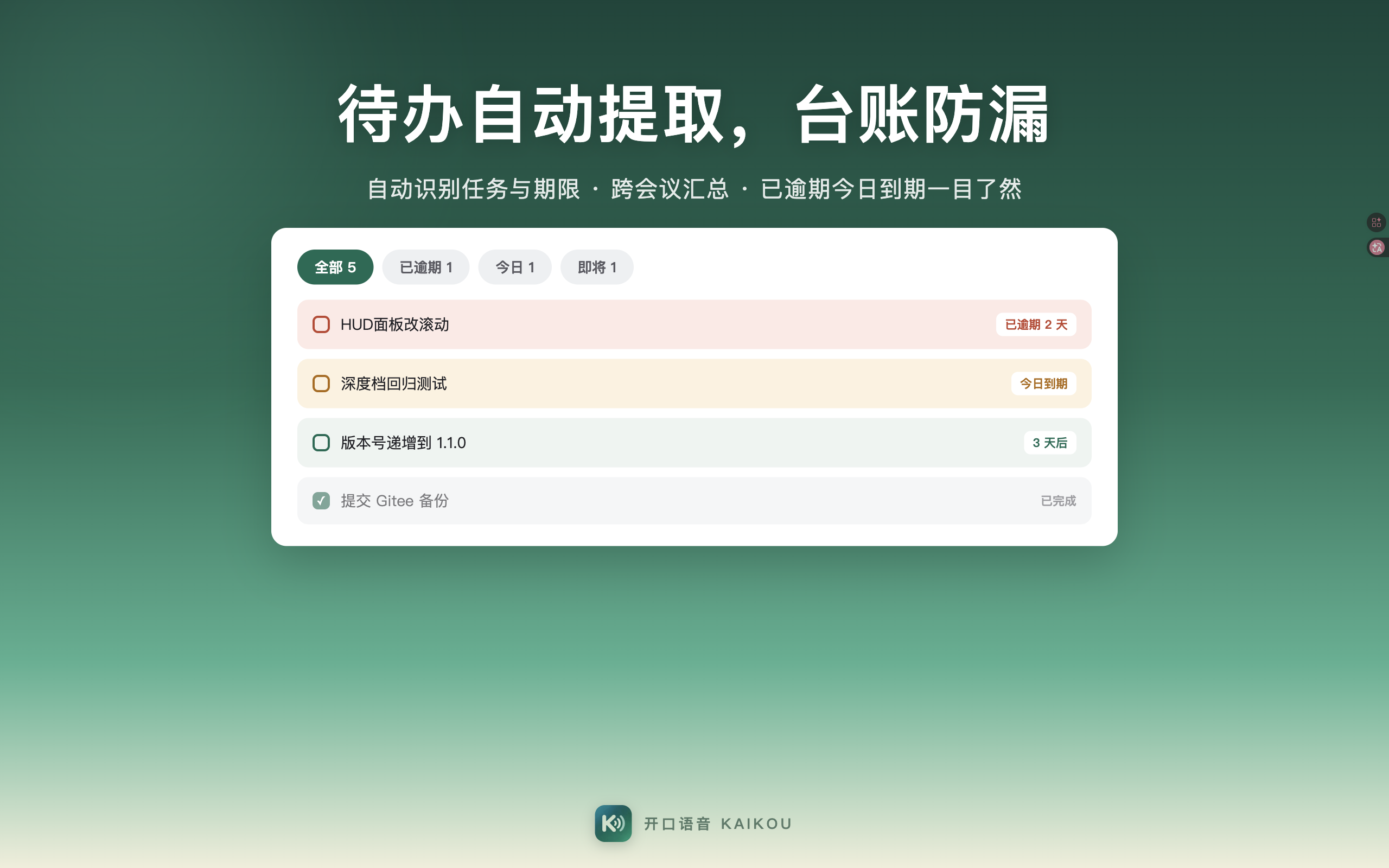
Tasks mentioned in the meeting are extracted into a ledger: owner and deadline at a glance. Overdue, today, and tomorrow are grouped separately — follow-up across meetings, nothing dropped.
To-dos are recognized straight from the transcript: before the next meeting, unfinished items surface on their own.
Recognition runs entirely offline on your Mac; audio is never uploaded. Meeting recordings are not saved by default — kept only if you explicitly choose to.
Core features work without an account. For stronger AI, connect your own model service — your data stays under your control.
A complete on-device meeting pipeline — capture, segmentation, minutes, and to-dos.
Transcribes as the meeting happens, paragraph by paragraph. Edit, merge, and annotate within segments without breaking the flow.
Full, condensed, and action-list versions. If AI is unavailable, a rule-based engine takes over — your minutes always come out.
Filter by date, duration, and to-dos; full-text search revisits any meeting. Saved recordings can be replayed.
Tasks mentioned in the meeting land in the ledger — owner and deadline at a glance.
Whisper re-transcribes the whole recording in the background — live draft untouched, refined draft more complete and fluent.
Transcription is offline; recordings are not saved by default — kept only if you explicitly choose to, and only on your Mac.
The full v1.1.0 feature set — each one ready to use on your Mac today.
Double-tap Command / hold Right Option / Right Command / Fn — pick your favorite. All free.
The HUD shows recognized text as you speak with auto-scrolling; confirm before it lands.
An on-device engine that works without the internet; the model downloads once, then it's fully offline.
Original / polished / terminology / Prompt, one keystroke to pick; rewrite strength in three levels.
Right-click any selection for rewrite, translate, paraphrase and custom AI actions — no retyping.
Live paragraphing / in-segment annotations / AI minutes in 3 forms / task ledger / history search and replay.
Accented speech becomes standard wording automatically; regional dictionaries (like Rizhao) can be calibrated.
Mixed recognition of Chinese, English, Japanese, Korean, and Cantonese; speak Chinese, get English — technical terms handled well.
Want to use your own AI service? Say what you need, paste your key, and parameters adapt automatically.
Free from the Mac App Store; basic dictation is free forever.
On Windows? See the Windows edition. HarmonyOS / Android: in development, coming soon.